
Batch Create Actions
Create every action in a template group with one form
Some integrations (like GoHighLevel) ship as a group of related templates that share the same credentials. Instead of filling the same API token multiple times, you can use Use All to create the whole group in one step.
When you’ll see “Use All”
On the Atlas Actions tab, any group with more than one template shows a Use All button next to the group title. Single-template groups don’t show it — just click Use this template.
How to batch create
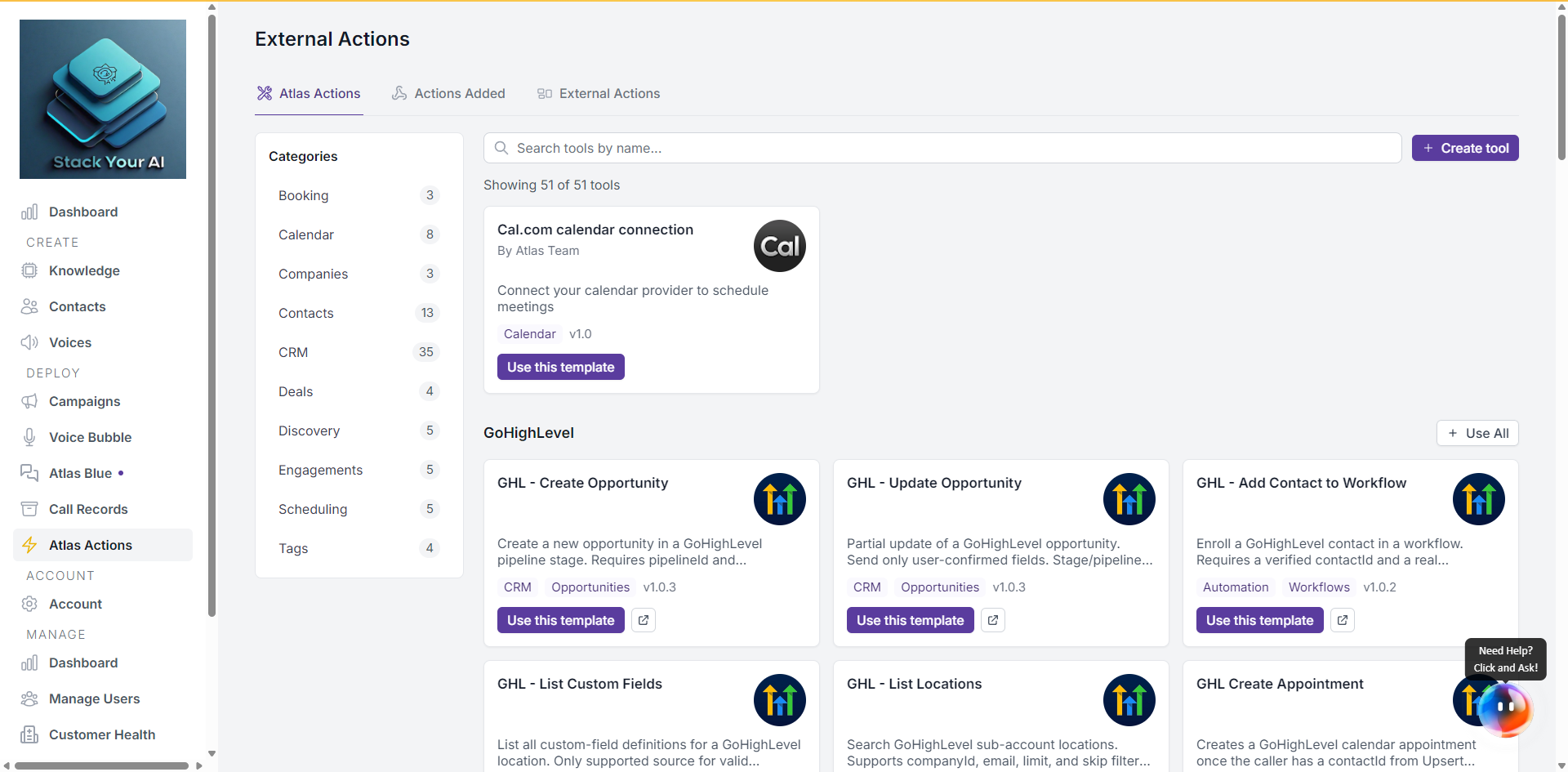
- Find the group (e.g. GoHighLevel).
- Click Use All at the top right of the group.
- The form shows:
- A Name field — optional prefix added to every created action (e.g.
Production→Production - GHL Upsert Contact). Useful if you want multiple sets of the same group for different environments or clients. - A list of template names in this group, so you can see what’s about to be created.
- The shared fields — every unique placeholder collected from all templates in the group (e.g. API Token, Location ID, Calendar ID). Each field is asked once and reused for every template.
- A Name field — optional prefix added to every created action (e.g.
- Fill in the shared fields and click Add N Tools.
What gets created
One action per template in the group, each with:
- Name = (optional prefix +) template name
- Shared placeholders applied to all
- All other settings inherited from each template
All created actions land on the Actions Added tab and can be edited individually afterward.
Partial failures
If one or more templates fail to create, Atlas shows the errors but keeps the actions that succeeded. You can:
- Retry just the failed ones via Use this template on the individual card, or
- Delete the partial set and re-run Use All.