
Import Actions from an OpenAPI Spec
Auto-generate one action per endpoint from your API definition
If your API already has an OpenAPI (Swagger) spec, you can generate Atlas Actions for every endpoint in one step instead of configuring each one by hand.
Each operation in the spec becomes a separate action with its URL, method, parameters, and descriptions pre-filled.
When to use this
- You have a public or internal OpenAPI 3.x spec.
- You want to expose several endpoints to the agent quickly.
- You want consistent naming and descriptions sourced from your spec.
How to import
- Go to Global Actions.
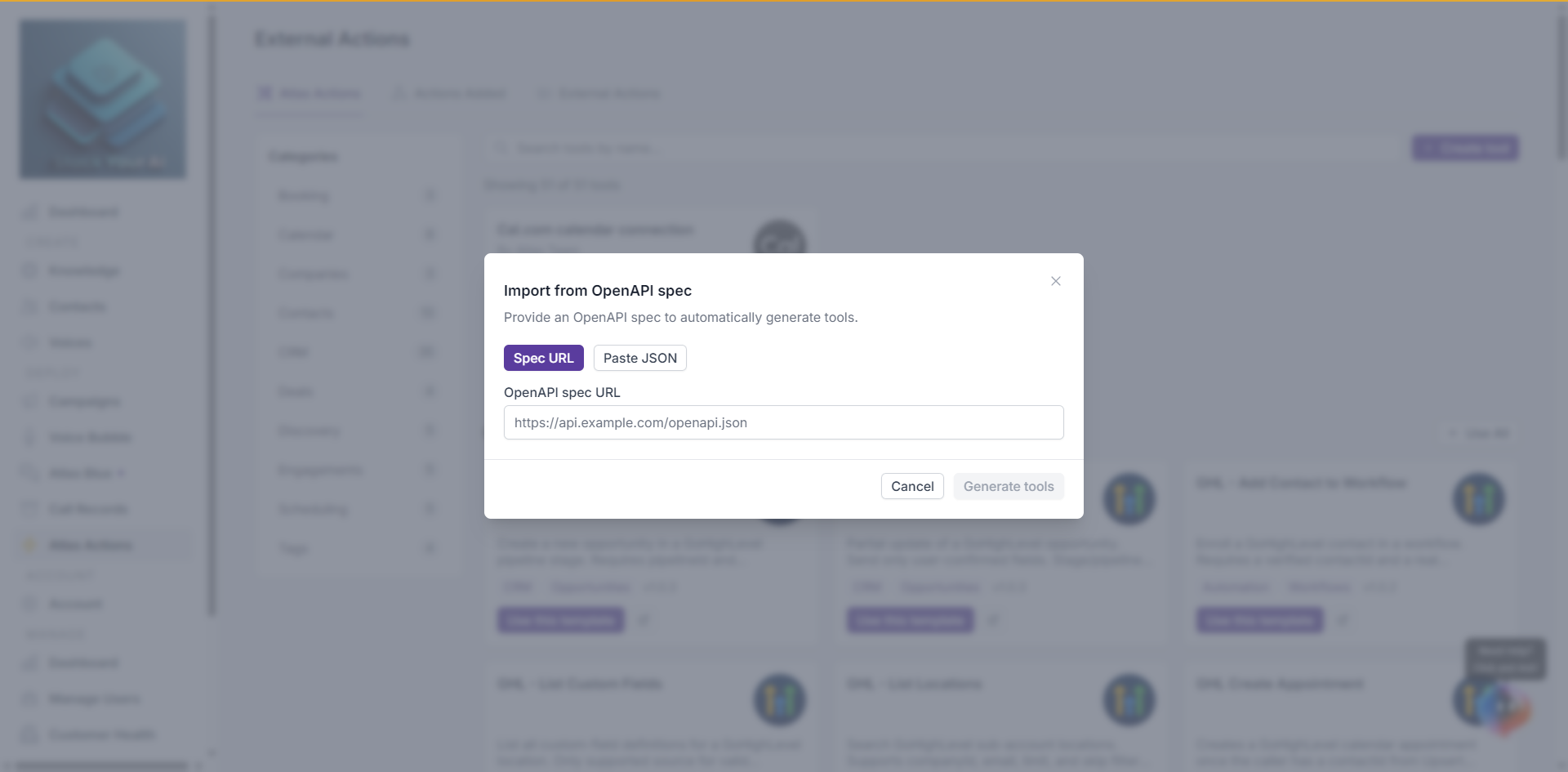
- Click Create tool > Import from OpenAPI spec.
- Choose how to provide the spec:
- Spec URL — Paste an https URL pointing to your
openapi.jsonoropenapi.yaml. - Paste JSON — Paste the raw OpenAPI JSON.
- Spec URL — Paste an https URL pointing to your
- Click Generate tools.
Atlas parses the spec and shows a preview of every endpoint it found — method, name, and URL.
Pick what to import
- Each row is one action. All endpoints are selected by default.
- Click a row to toggle selection.
- Use Select all / Deselect all to flip everything at once.
- Click Back to change the spec without losing your progress.
When you’re ready, click Import N tools. Successfully imported actions appear on the Actions Added tab.
What gets generated
For each endpoint Atlas creates a Custom Action with:
- Name — Operation ID from the spec (or a generated name).
- Description — Operation summary/description from the spec. The agent uses this to decide when to call it.
- URL — Server URL + path.
- Method —
GET,POST, etc. - Parameters — Path, query, and body parameters with their types and descriptions.
- Timeout — Default
30s.
After import
- Review each generated action — descriptions sourced from a spec often need a rewrite to instruct the agent properly. See parameter descriptions.
- Add authentication headers or an OAuth method if needed — see OAuth Credentials.
- Attach the actions to a campaign — see Manage Actions.
Errors and partial imports
If some endpoints fail to import (invalid spec, naming conflicts), Atlas creates the ones that succeeded and shows the failed ones with their reason. You can fix the spec and re-import; existing actions are not overwritten.