
SMS Actions
Send one-way SMS during a call
SMS Actions let your agent send a one-way text message to the customer (or anyone else) during a call — confirmations, links, follow-ups, receipts. The agent decides when to fire it based on the action’s description, the same way HTTP actions work.
Providers
Two providers are supported, depending on what’s enabled on your account:
- Twilio — Uses your own Twilio account. Requires your Twilio credentials.
- Atlas — Uses Atlas’s SMS infrastructure. No external account needed.
If both are enabled on your account, you pick the provider per action.
Create an SMS Action
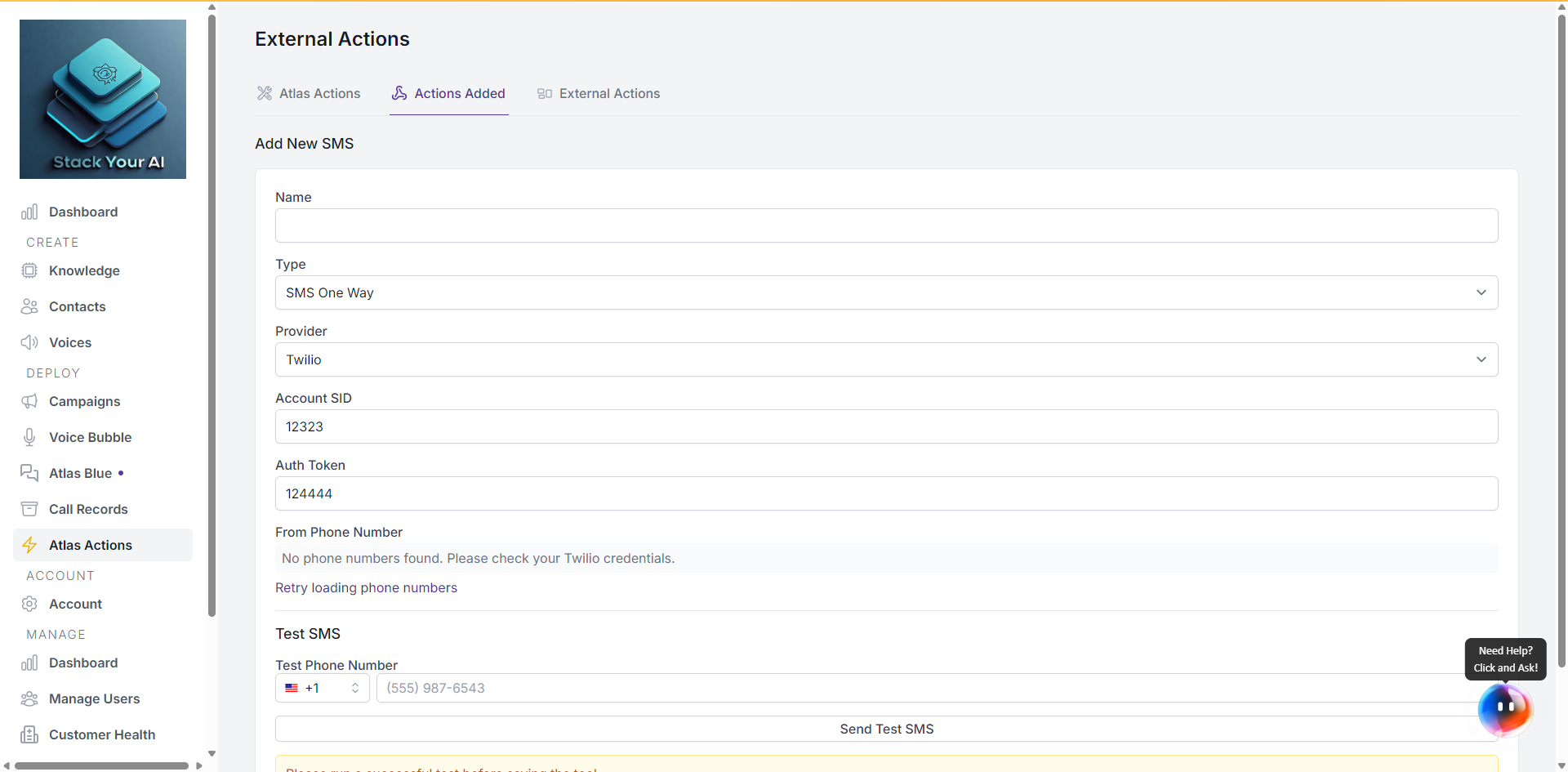
- Go to Global Actions > Actions Added.
- Add a new SMS action.
- Configure:
- Name — Identifier shown to the agent.
- Description — When the agent should send the SMS. Be specific (e.g. “Use this to send a booking confirmation after the customer agrees to a time.”).
- Provider — Twilio or Atlas (if both available).
- Provider settings (Twilio only):
- Account SID — Your Twilio Account SID.
- Auth Token — Your Twilio Auth Token.
- From — A verified Twilio number to send from.
- Save.
For Twilio, your credentials are stored on your user profile and shared across all Twilio-backed SMS actions — you only need to enter them once.
What the agent sends
The agent extracts the message body and recipient from the conversation based on the action description. Keep the description focused so the agent doesn’t text the wrong number or send the wrong content.
If you want the agent to always text the caller, say so explicitly in the description (the customer’s phone number is already known from customerPhoneNumber).
One-way only
SMS Actions are send-only. The customer’s reply does not flow back to the agent. For two-way SMS conversations, use the Messages campaign type instead.
Attaching to a campaign
Like all Atlas Actions, SMS actions only fire once attached to a campaign:
- Open the campaign.
- Go to Integrations > Tools Integration > Manage Tools.
- Select the SMS action.
- Save.