
Dialpad Integration
Route missed calls from Dialpad to Atlas
Setup Instructions
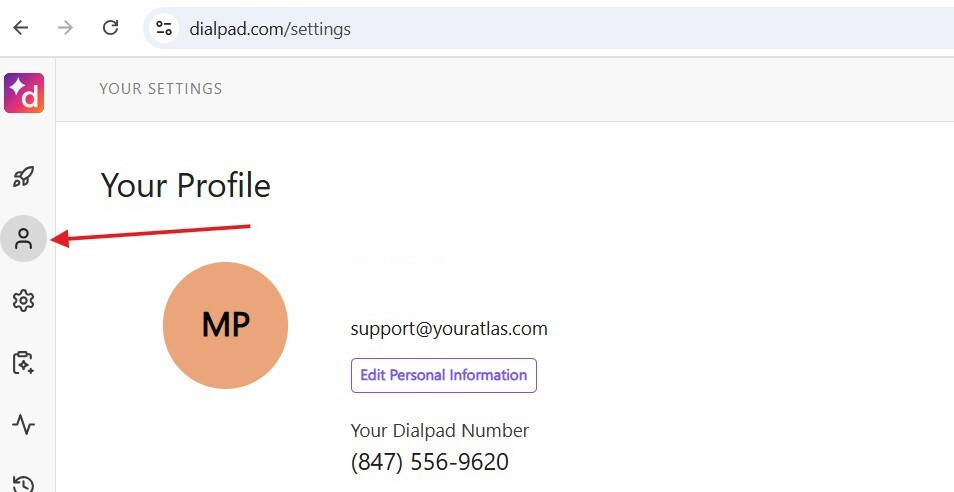
Step 1: Access Your Profile
Go to your profile in Dialpad.
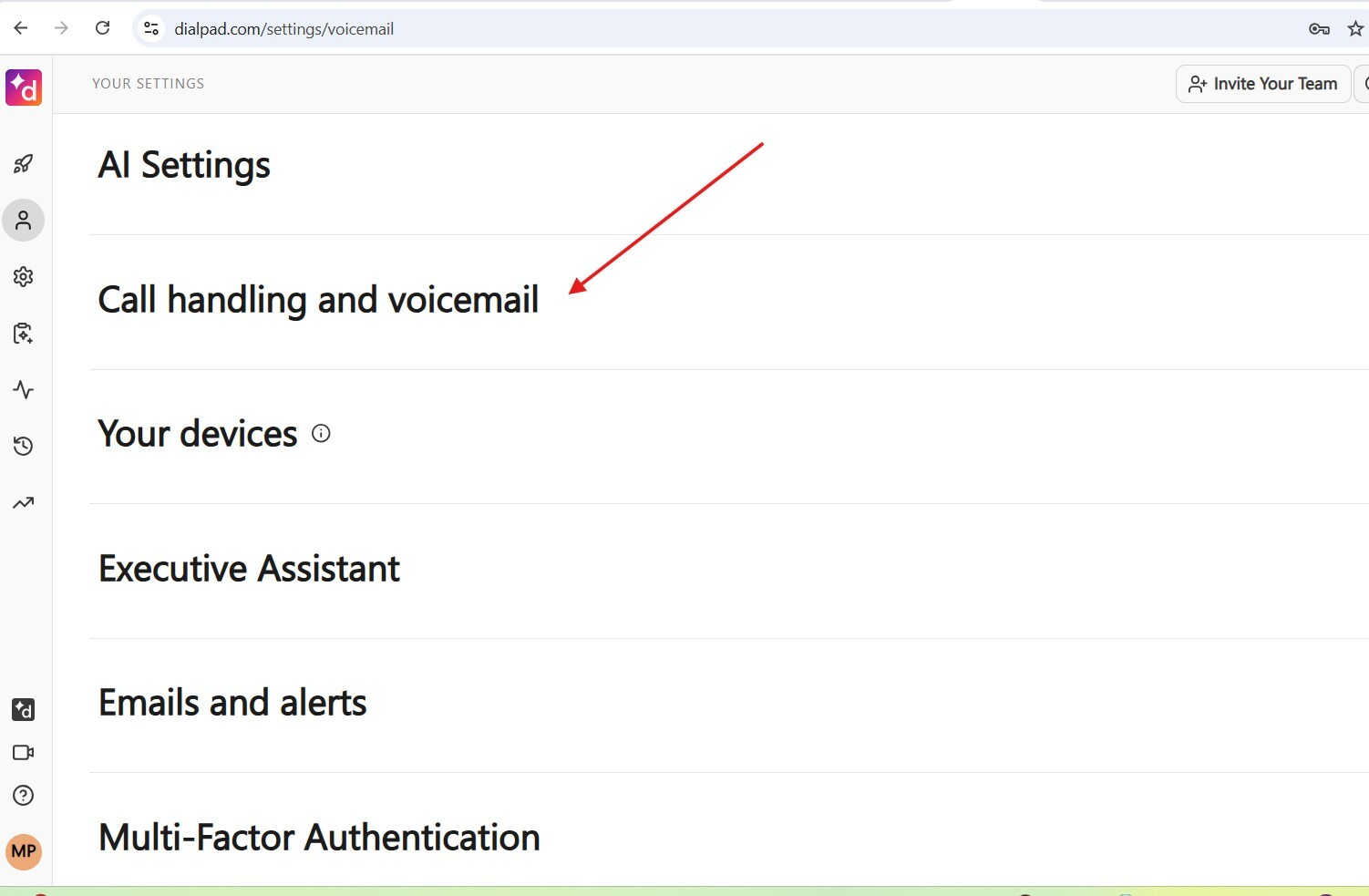
Step 2: Navigate to Call Handling and Voicemail
Select Call handling and voicemail to expand the section.
Step 3: Configure Call Handling
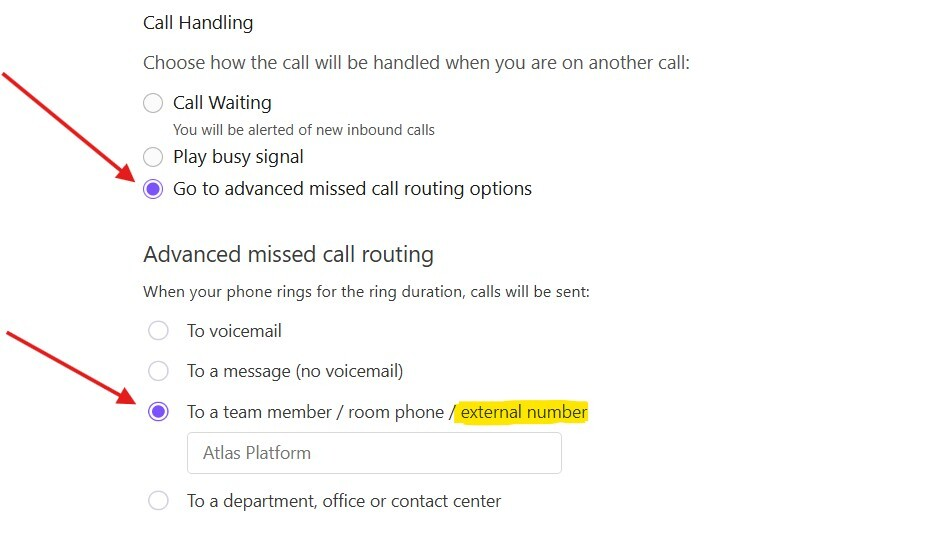
Under Call Handling, select “Go to advanced missed call routing options”.
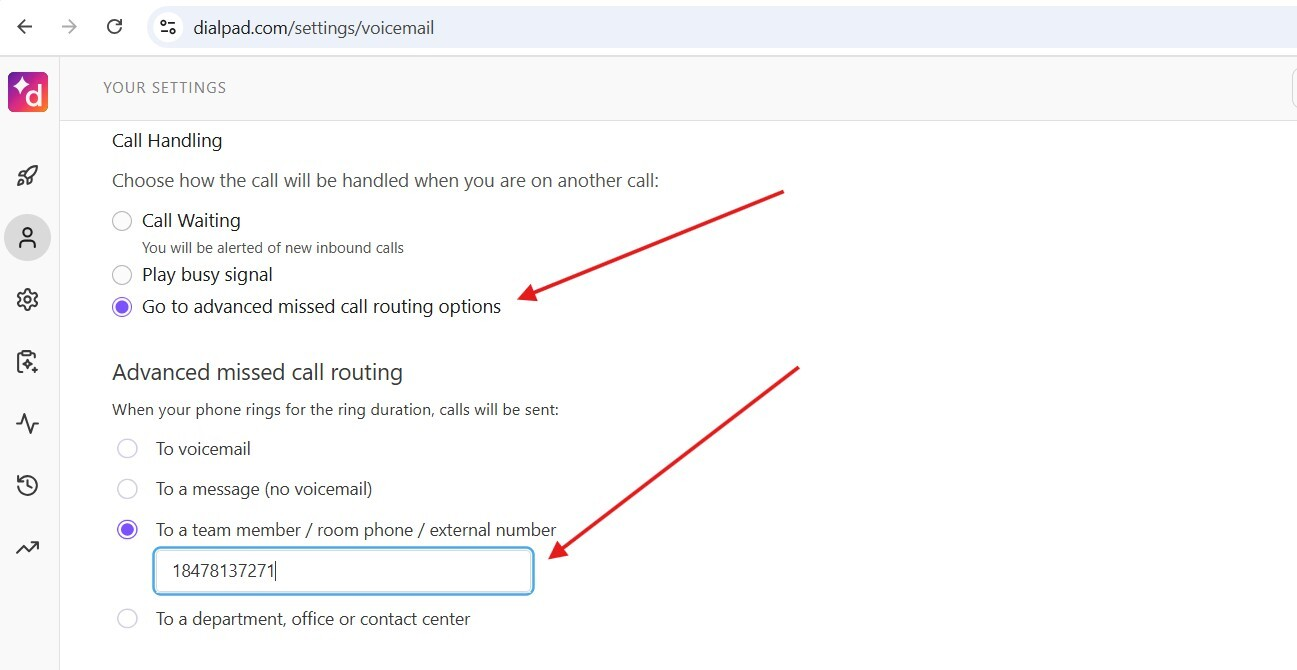
Then, under “Advanced missed call routing”:
- Select “To a team member/room phone/external number”
- Type the phone number attached to your Campaign in Atlas
- Press
Enter
After pressing Enter, a new field will appear where you can name this external number. Type in Atlas Platform.
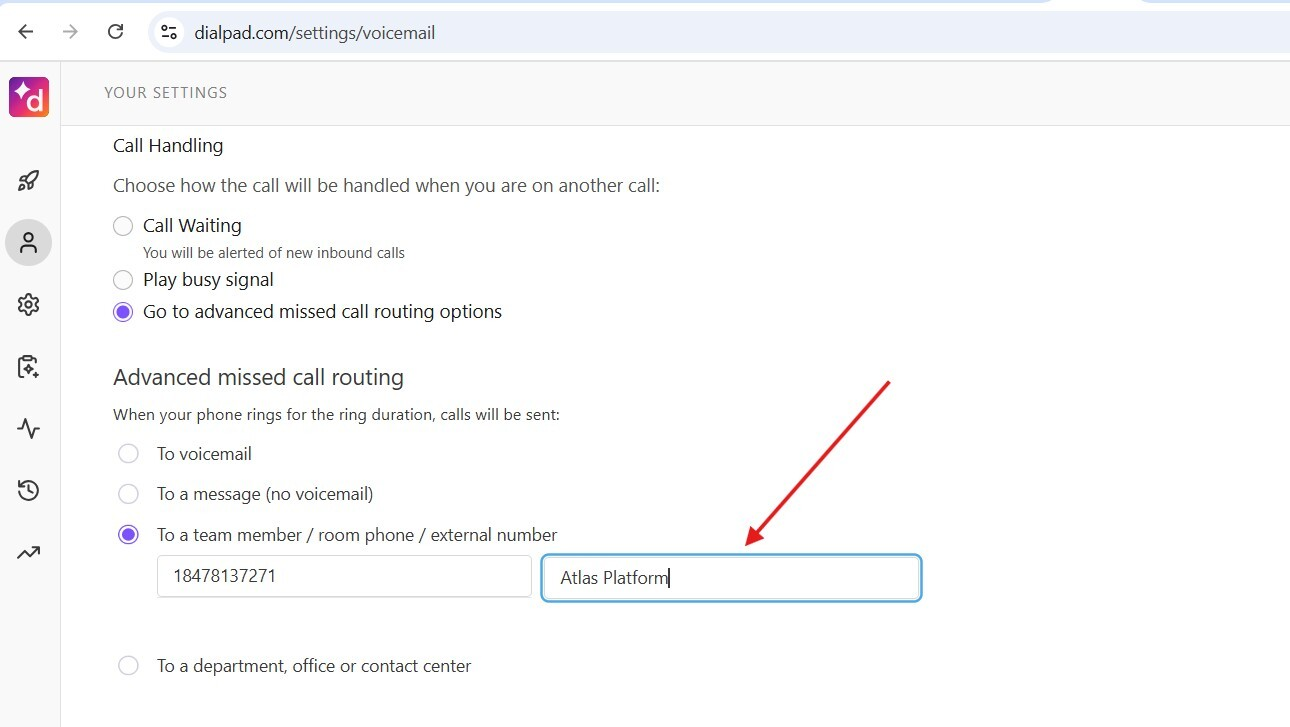
If “external number” is not showing up, it has not been enabled in your Dialpad. Contact Dialpad technical support and ask them to enable this feature.
The call routing to an external line would need to be enabled by each user individually and cannot be enabled by the admin.