
Import the Atlas Snapshot
Get started quickly with pre-configured GHL automation templates
Import the snapshot:
Get started quickly by importing our pre-configured snapshot, which includes ready-to-use automation templates and examples.
-
Click the link below to access the import page: Import Atlas Snapshot
-
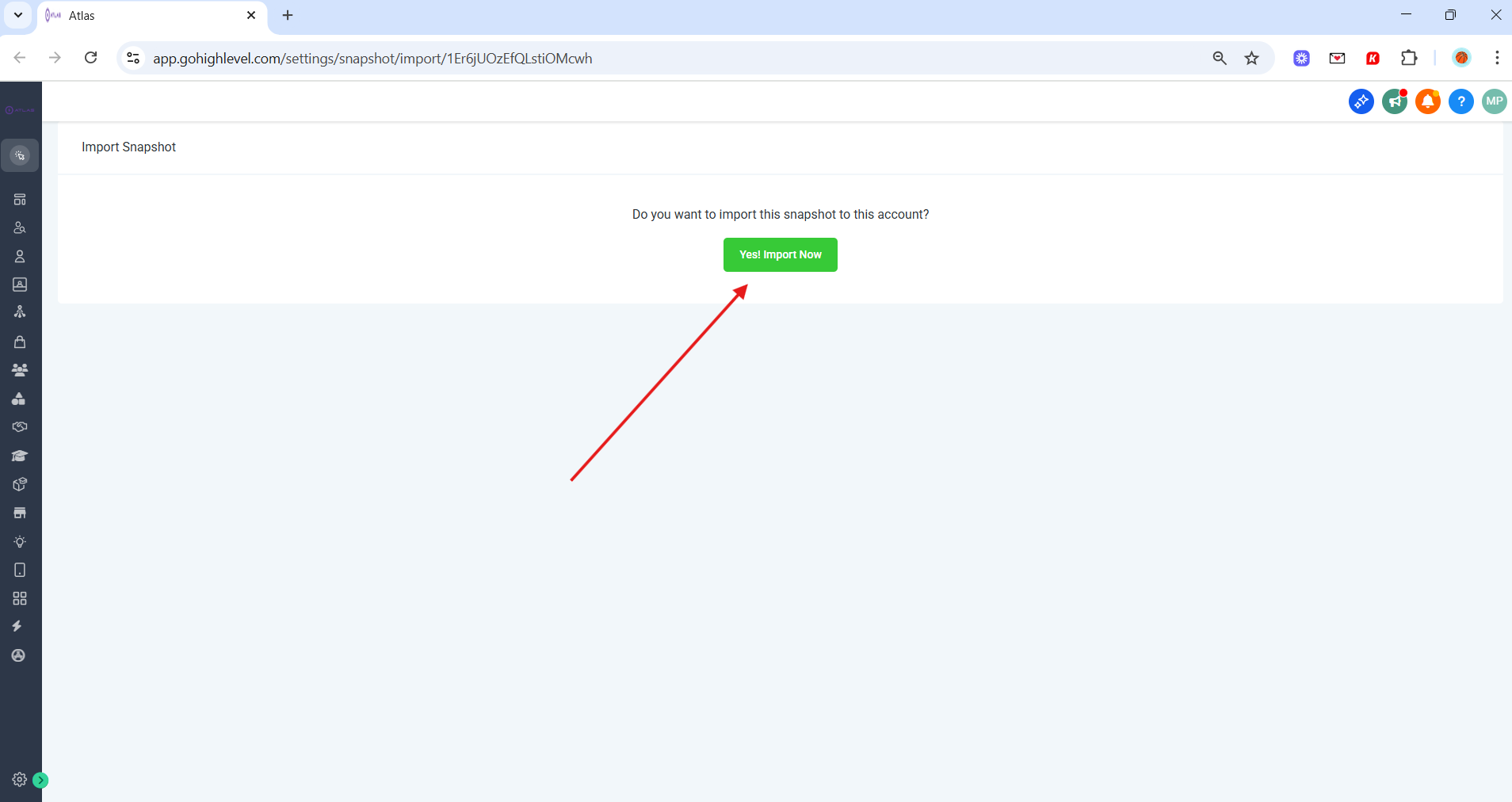
Click on Yes! Import Now
-
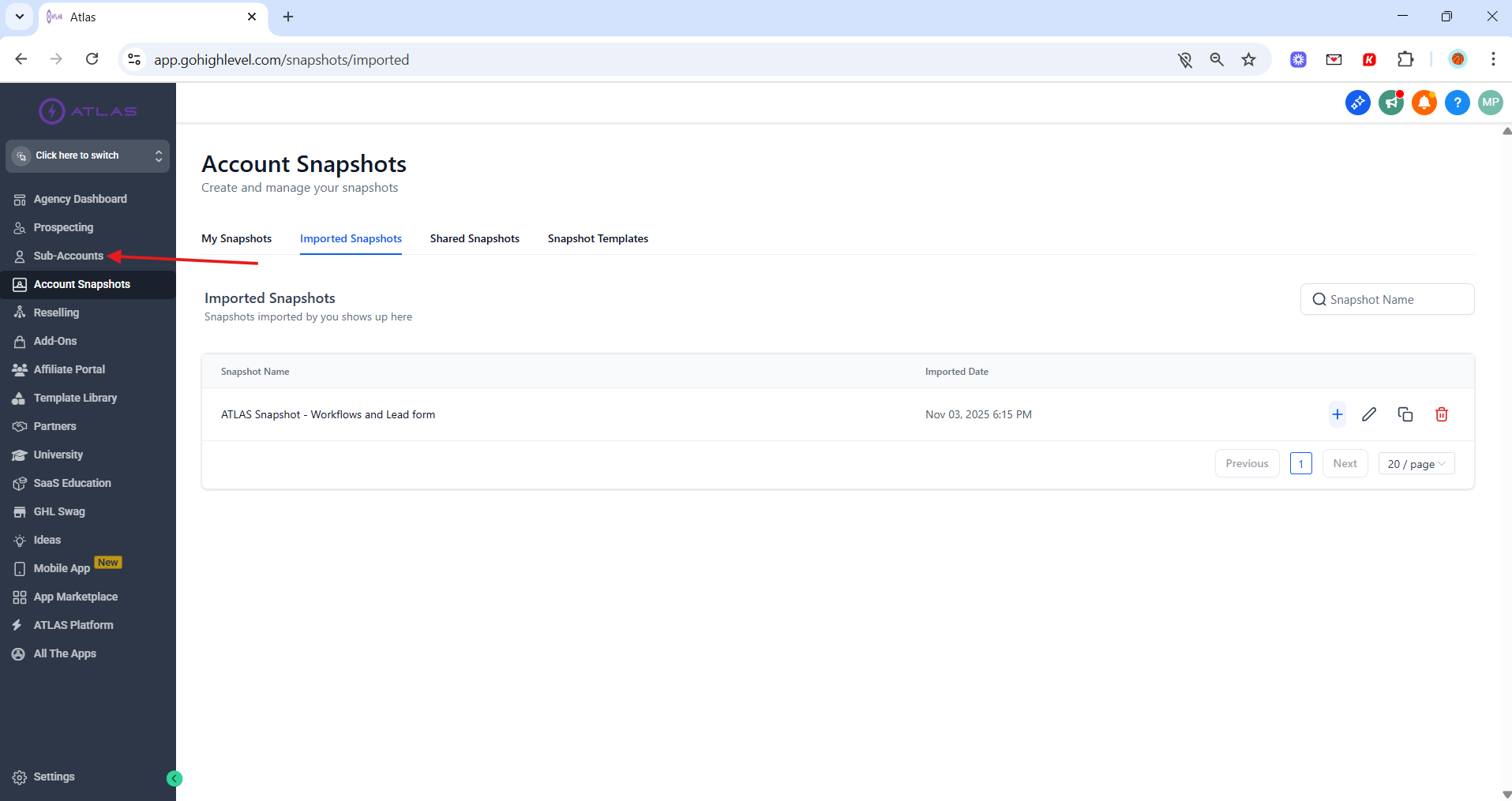
Once imported, navigate to Sub-Accounts in your GoHighLevel Agency dashboard
-
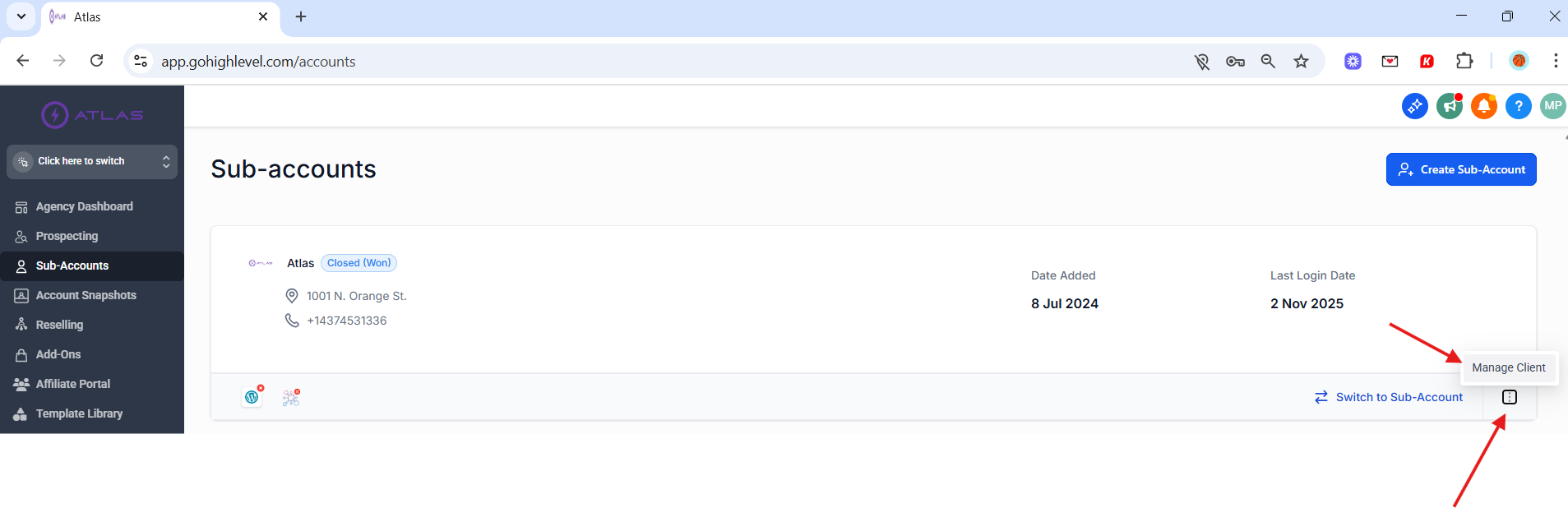
Locate the sub-account you want to load the snapshot in
-
Click the three dots in the bottom right corner of the sub-account and then on Manage Client
-
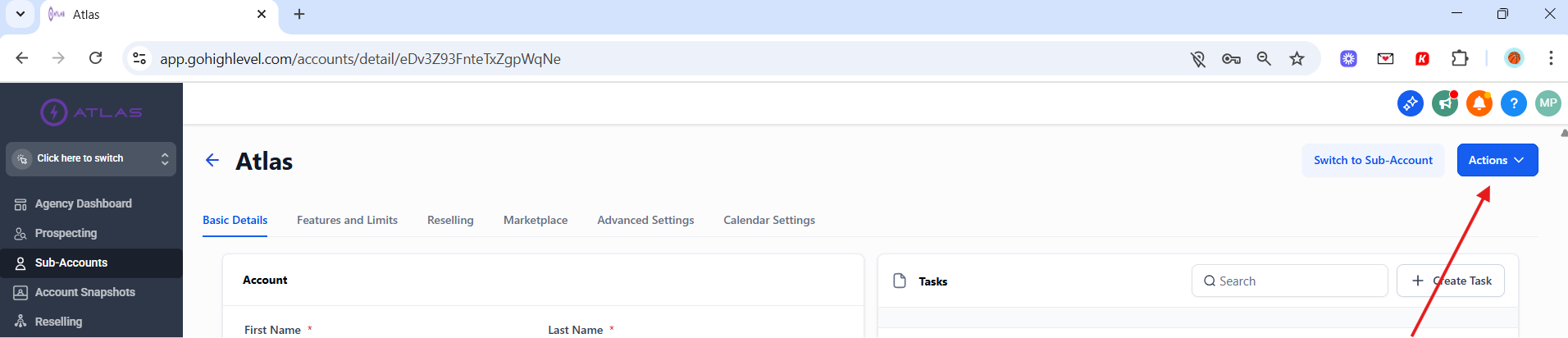
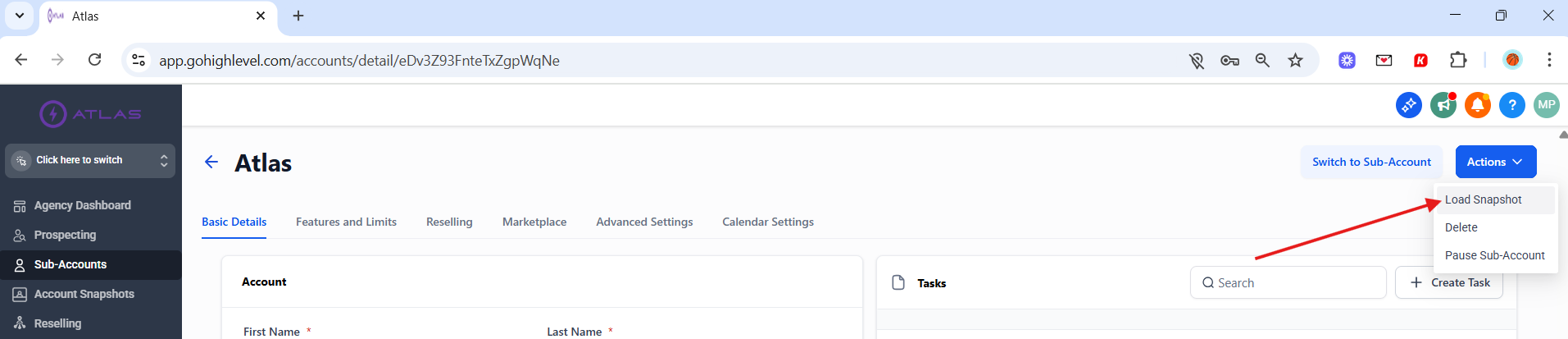
Click the Actions dropdown button in the top right corner
-
Select Load Snapshot from the dropdown menu
-
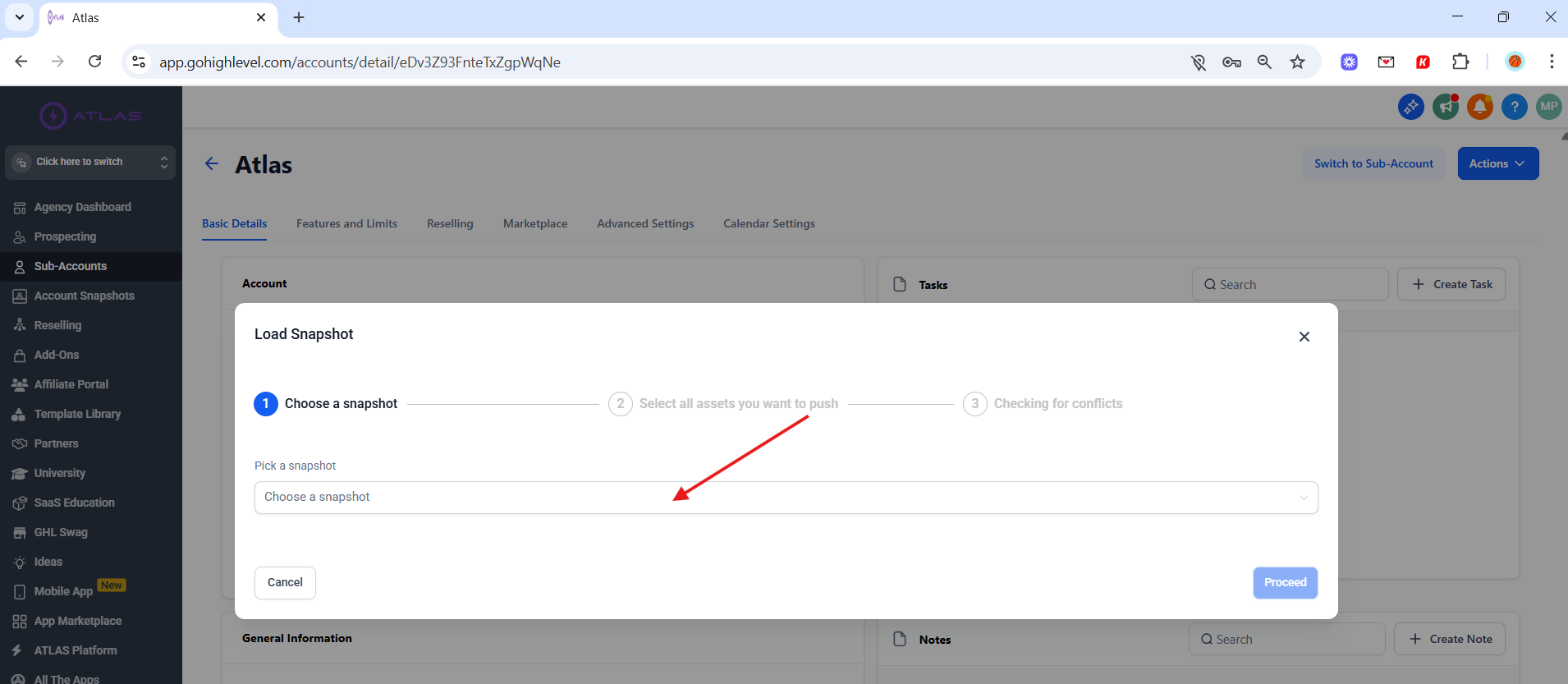
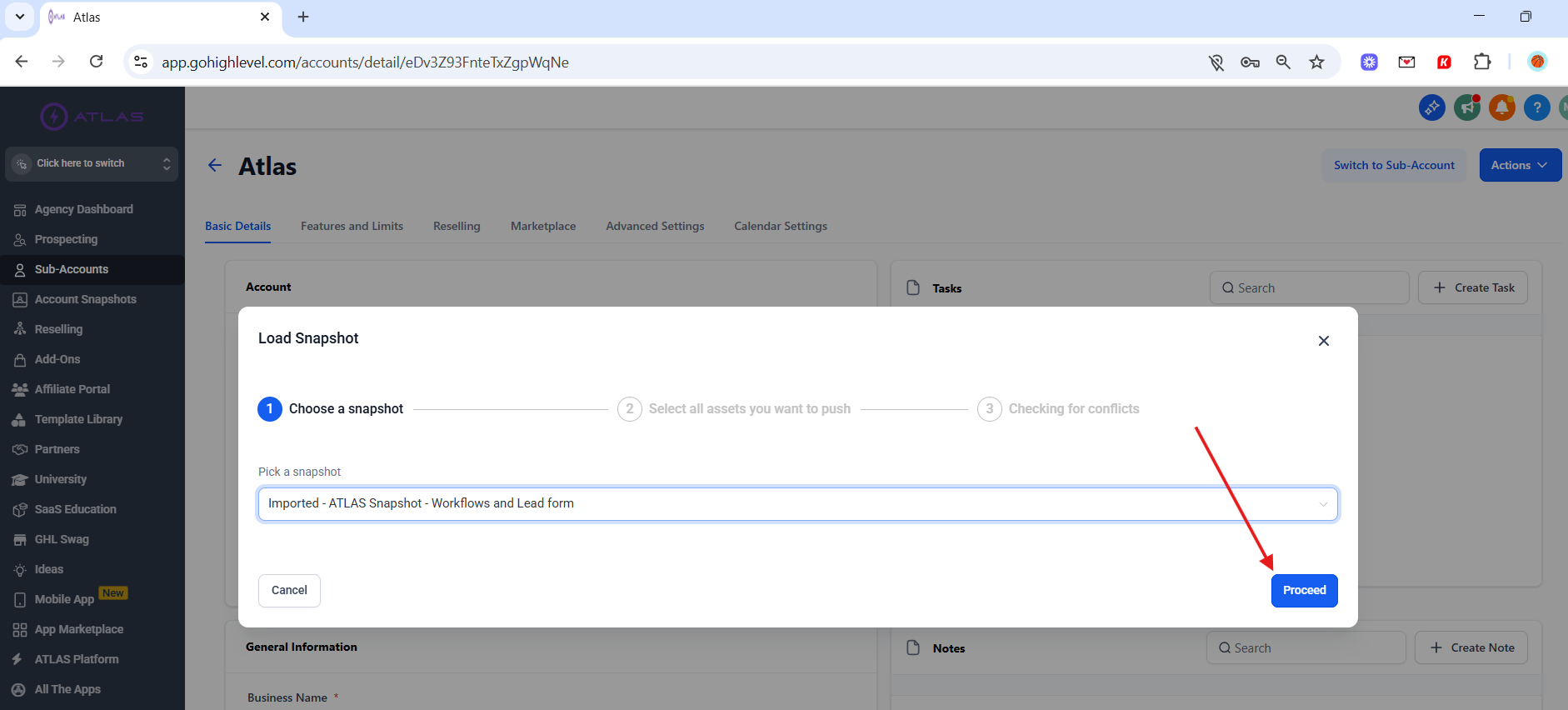
Choose the ATLAS Snapshot you just imported and load it into the sub-account
-
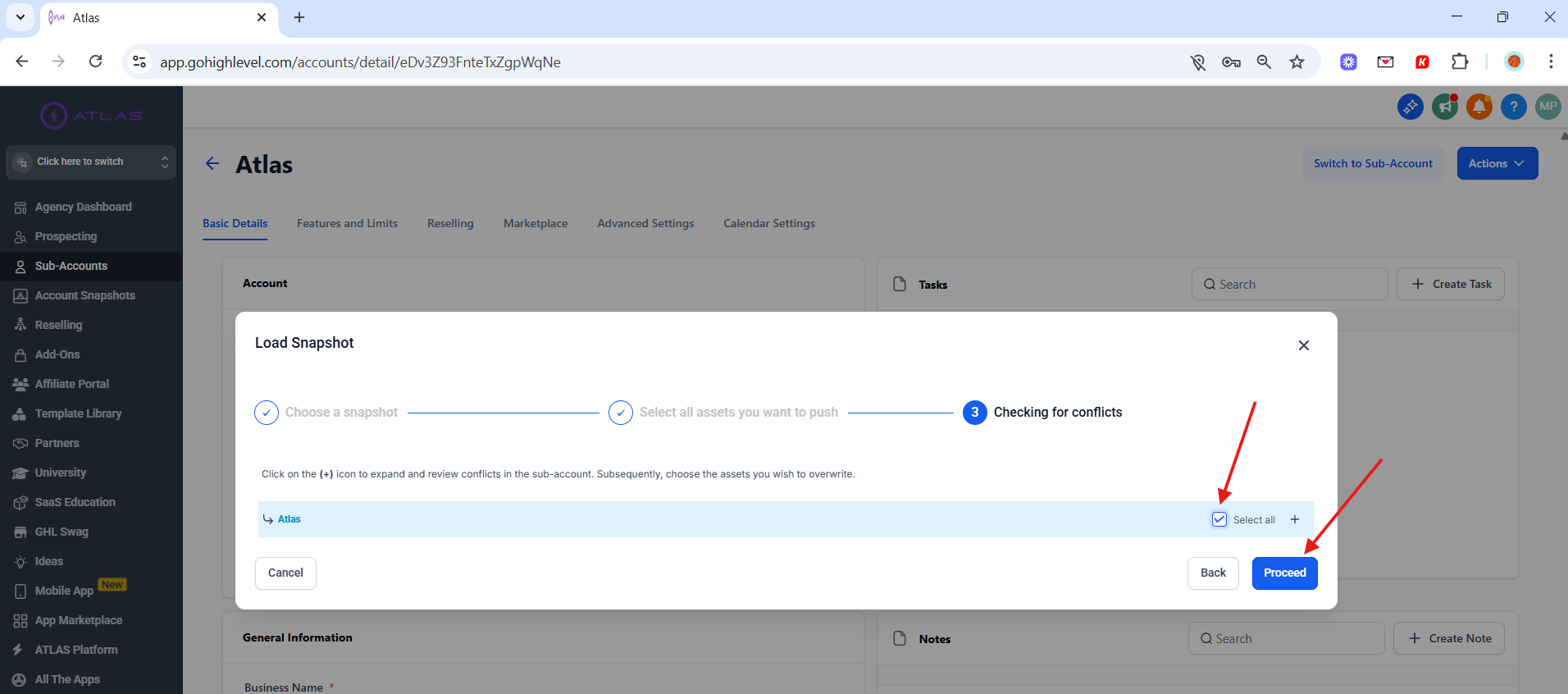
Click Proceed
-
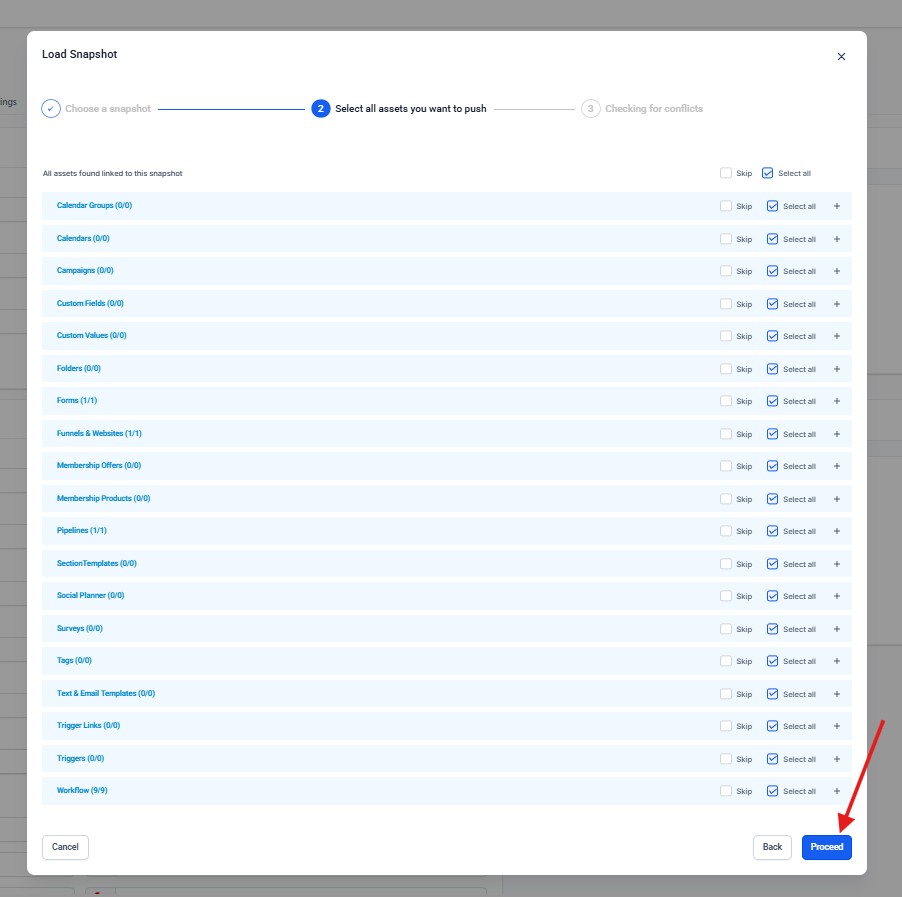
Select the checkbox that says Select all and click Proceed
-
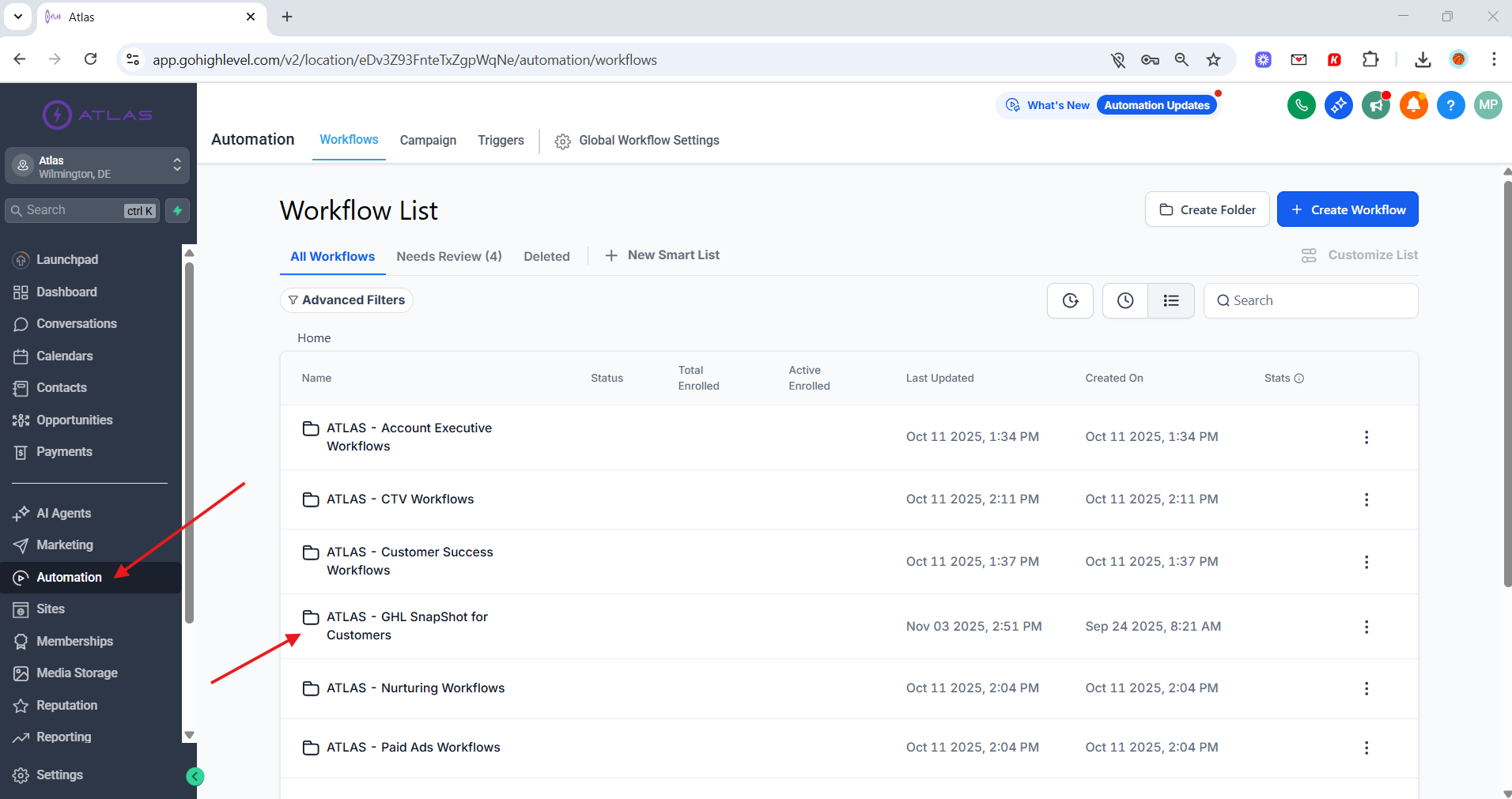
Finally, go to the Automations page to find the snapshots inside of the folder Atlas - GHL Snapshot for Customers
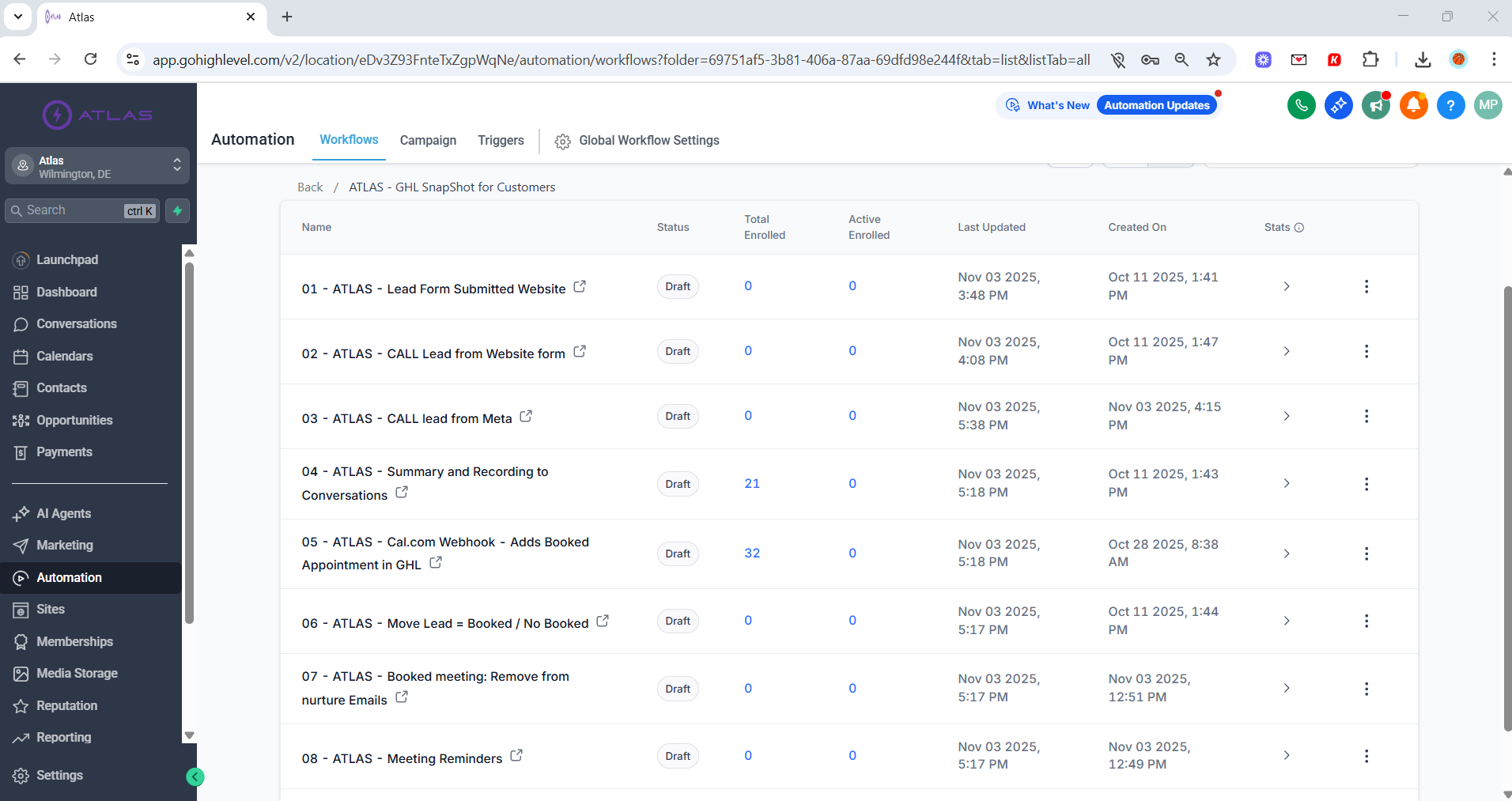
Atlas - GHL Snapshot for Customers