
Human Handoff
Switch a contact from AI agent replies to a live human agent
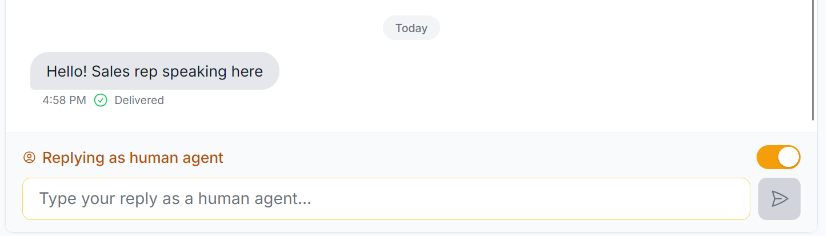
When a contact needs a real person, use the Reply as human agent option.
- Enables manual responses for that contact only.
- Disables agentic replies while the human agent is handling the conversation.
- Keeps the conversation visible in the Sessions list for review.
- Lets you return to automated agent handling later if needed.
When to use human handoff
- The contact asks a question the AI should not answer directly
- You want a salesperson or support rep to take over
- The conversation needs a personalized or sensitive response
What happens
When human handoff is enabled for a contact:
- The AI agent is paused for that conversation.
- The live agent responds manually.
- The session stays active and visible in the same Atlas Blue conversation thread.
- You can switch back to AI handling after the live reply is complete.